1. Why a Working Setup Guide Is Harder Than It Looks
A README written the week a project launched describes a world that no longer exists by the time the fifth engineer joins. The database moved from a local Postgres install to a Docker Compose service. The Node version bumped from 18 to 20 after a security patch. Someone renamed DB_URL to DATABASE_URL in a refactor and forgot to update the docs.
None of that shows up as a broken build. It shows up as a new hire pinging a Slack channel on their first morning because pnpm dev throws a connection refused error that nobody remembers seeing before. Multiply that by every engineer who joins a team over a year, and the tax adds up to something senior engineers keep re-explaining instead of building.
The fix: generate the onboarding guide directly from the current state of the repository, the actual
package.json, the actualdocker-compose.yml, the actual.env.example, instead of hand-writing prose that drifts the moment the stack changes.
2. What This AI Developer Onboarding Documentation Generator Actually Produces
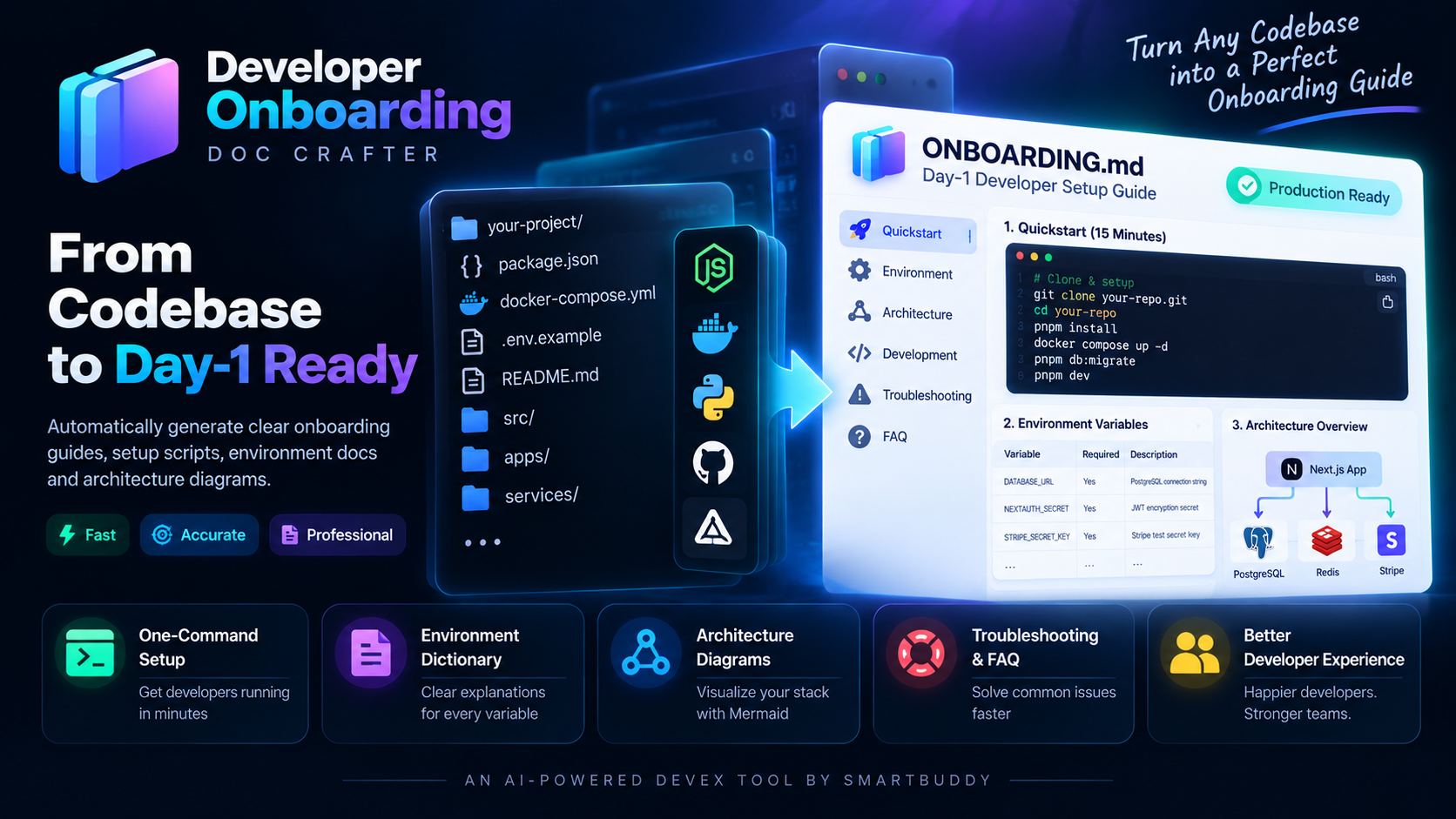
The Interactive Developer Onboarding Doc Crafter skill runs a five-phase inspection-to-output workflow. It reads root configuration files first, then produces four concrete artifacts in sequence.
Phase 1, Repository inspection
It checks package.json, docker-compose.yml, .env.example, Makefile, and Dockerfile to identify prerequisites: Node or Python version, Docker requirement, database services, external API dependencies, and, critically, the actual package manager, read from whichever lockfile (pnpm-lock.yaml, yarn.lock, package-lock.json, bun.lockb) is actually sitting in the repo. This is exactly the detail that rots first in a hand-written README, so the skill checks it fresh every time instead of assuming.
Phase 2, One-command quickstart
It drafts a copy-pasteable terminal sequence, not a paragraph describing one, using the package manager Phase 1 actually found (pnpm below is illustrative), and the HTTPS clone URL by default, since a brand-new hire's SSH key usually isn't registered with the org's GitHub yet on day one:
# 🚀 1-Command Developer Environment Setup
git clone https://github.com/company/app.git && cd app
# once your SSH key is registered with the org: git@github.com:company/app.git works too
cp .env.example .env.local
pnpm install
docker compose up -d postgres redis
pnpm db:migrate && pnpm db:seed
pnpm dev
# Open http://localhost:3000 to verify running instance
Phase 3, Environment variable dictionary
Every required variable gets a row: what it does, whether it's required, and how to get a sandbox value, never a live secret.
| Variable | Required | Description | How to Get Sandbox Key |
|---|---|---|---|
DATABASE_URL |
Yes | Local PostgreSQL connection string | Defaults to postgresql://postgres:postgres@localhost:5432/app_dev |
STRIPE_SECRET_KEY |
Yes | Stripe test secret key | Stripe Dashboard → Developers → API Keys (sk_test_...) |
NEXTAUTH_SECRET |
Yes | Session JWT encryption secret | Generate with openssl rand -base64 32 (macOS/Linux/Git Bash) or node -e "console.log(require('crypto').randomBytes(32).toString('base64'))" on plain Windows |
Phase 4, Architecture map
A Mermaid diagram of the local runtime, so a new engineer sees the service boundaries before reading a single line of code:
graph TD
    Client[Browser / Client] -->|Port 3000| NextApp[Next.js App Router]
    NextApp -->|Prisma ORM| Postgres[(PostgreSQL DB :5432)]
    NextApp -->|Cache & Queues| Redis[(Redis :6379)]
    NextApp -->|Webhooks| Stripe[Stripe Sandbox]
Phase 5, Troubleshooting directory
It documents the five most common local-setup pitfalls: port conflicts, migration lock errors, and Node version mismatches, so a stuck engineer checks the doc before posting in Slack.
3. Manual Onboarding vs. an AI Developer Onboarding Documentation Generator
| Hand-written README | Doc Crafter output | |
|---|---|---|
Stays current when docker-compose.yml changes |
Only if someone remembers to edit it | Regenerated from the actual config file |
| Environment variables documented | Often incomplete or missing entirely | Full table with required flag and sandbox source |
| Architecture visible before reading code | Rare, usually a paragraph, if anything | Mermaid diagram of every service boundary |
| Secrets risk | Real keys sometimes pasted "just for now" | Zero-secrets rule: sandbox instructions only |
| Time to first local run | Hours, split across Slack threads | Built around a 15-minute quickstart sequence |
4. Running It Against Your Own Repository
The skill installs like any other Claude Code, Cursor, Windsurf, Gemini CLI, Antigravity, or OpenHands agent skill, drop SKILL.md into your project's skills directory and call it in plain language:
"Using the developer-onboarding-doc-crafter skill, inspect our repository
and generate an interactive ONBOARDING.md guide with a 15-minute
quickstart, environment dictionary, and Mermaid diagram."
For a Python microservice instead of a Next.js monorepo, the same skill adapts its output to the stack it finds:
"Using the developer-onboarding-doc-crafter skill, write a clean local
setup guide for new backend engineers joining our Python FastAPI
microservice team."
It also handles monorepo setups, Turborepo or Nx workspaces, separate backend and frontend packages, by mapping each service's prerequisites into the same one-command sequence and dictionary format instead of one flat guide that mixes them together.
5. Three Rules the Skill Won't Break
- Zero Assumption Invariant. It never assumes a hidden global tool is already installed, including the package manager itself, which it detects from the repo's lockfile instead of defaulting to whichever one is most common, and SSH access to the org's git remote, which a new hire typically doesn't have registered yet. Every prerequisite gets an exact version, like "Node 20+," instead of a vague "recent Node version."
- Working Copy-Paste Commands. Every shell command in the output has to run as written, with no missing arguments or placeholder values left for the reader to guess.
- Security Invariant. Real secrets and live API keys never make it into the generated documentation, only sandbox acquisition instructions.
Frequently Asked Questions
What makes AI-generated onboarding docs more reliable than a hand-written README?
They're built from the repository's actual configuration files at generation time, not from memory of how the setup used to work. The output follows the "15-Minute First Commit" principle: a prerequisite checklist, a copy-pasteable setup sequence, an environment variable dictionary, and a troubleshooting section.
Does the skill generate architecture diagrams?
Yes. It produces standard Mermaid diagrams showing service boundaries, database connections, and authentication or webhook flows, so a new engineer can see how the pieces connect before touching the code.
Can it document a multi-repo or microservice setup?
Yes. It formats setup guides for Turborepo and Nx monorepos, standalone backend APIs, and frontend applications, adapting the quickstart and environment dictionary to whatever stack it finds in each repository.



Comments
Comments are reviewed before appearing publicly.
No comments yet — be the first.