Why a Passing Suite Still Missed the Bug
Most teams that try to generate Playwright tests from Gherkin feature files by hand run into the same wall: the translation step from plain-English scenario to working test code is where quality erodes fastest. A team ships a pricing-page redesign. Their existing Playwright suite is green. Two days later, support tickets show that a subset of users on the monthly plan can't complete checkout, a modal element got a new data-testid during the redesign, and half the assertions were still targeting the old one by CSS class. The suite reported success because the tests that broke were the ones written directly against selectors, not against what a user actually sees.
That gap is structural, not a one-off mistake. Once locators, assertions, and business rules all live in the same step-definition file, nobody notices when one layer drifts from the other two, the test still runs, it just stops checking the thing it was written to check.
Note: BDD frameworks like Cucumber were built to keep business rules readable by non-engineers. That value only holds if the
.featurefile stays free of implementation detail, the moment a selector or a wait condition sneaks into aGiven/When/Thenline, the separation is gone.
A Skill That Generates Playwright Tests From Gherkin Feature Files Automatically
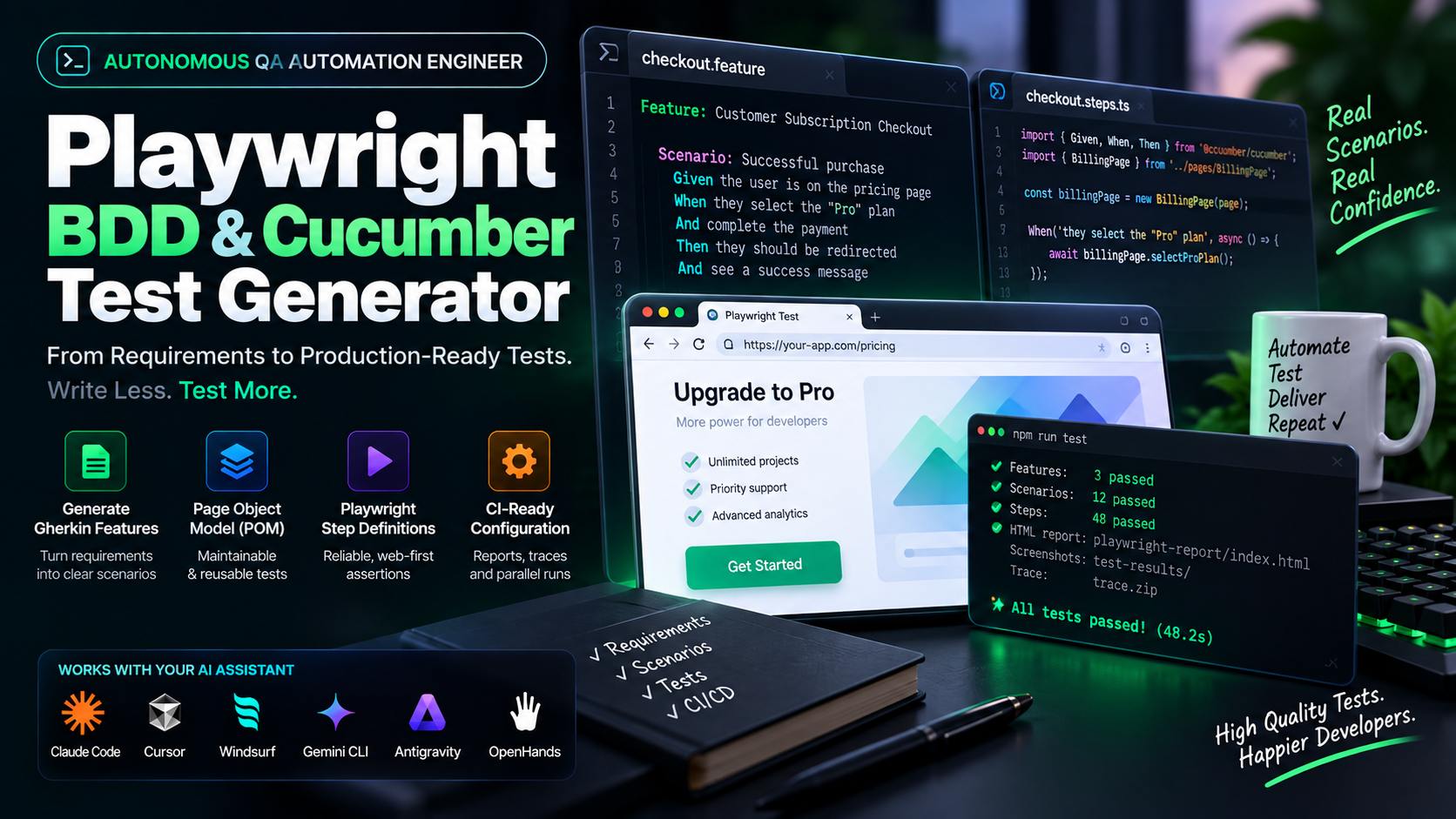
The Playwright BDD & Cucumber Test Generator skill takes a product requirement, an acceptance-criteria list, or an existing UI flow and runs it through a five-phase pipeline: ingest the requirement, write the Gherkin scenarios, build the Page Object Model class, generate the step definitions and Cucumber runner wiring that bind the two, and produce a cucumber.js profile plus CI reporting. It runs entirely inside your existing agent session, Claude Code, Cursor, Windsurf, Gemini CLI, Antigravity, or OpenHands, with no external network calls.
| Layer | File Type | What Lives Here | What Must NOT Live Here |
|---|---|---|---|
| Business logic | features/*.feature |
Gherkin Given/When/Then scenarios |
Locators, sleeps, raw selectors |
| UI encapsulation | pages/*.ts (POM) |
Locators, expect() assertions, page actions |
Test framework glue, scenario wording |
| Runner wiring | support/world.ts, support/hooks.ts |
Custom Cucumber World holding browser/context/page, Before/After lifecycle hooks |
Assertions, business logic |
| Glue code | features/step_definitions/*.ts |
Binds Gherkin lines to POM methods | Hardcoded selectors, waitForTimeout() |
| Execution config | cucumber.js |
The actual runner: step/support paths, parallelism, reporters | , |
playwright.config.ts on its own does not run this suite, that file belongs to Playwright Test, a separate runner. A Cucumber-driven suite is executed by cucumber.js, which loads the World/hooks that launch the browser for each scenario.
How to Generate Playwright Tests From Gherkin Feature Files, Step by Step
Feed the skill a user story, "authenticated users can upgrade to Pro Tier from the billing page", and it writes a scenario that covers the happy path plus the boundary and error cases a PRD usually leaves implicit:
# features/checkout.feature
Feature: Customer Subscription Checkout

  Scenario: Authenticated user upgrades to Pro Tier
    Given the user is logged in as "developer@company.com"
    And navigating to the "/billing" pricing page
    When they select the "Pro Tier" monthly plan
    And complete the Stripe payment modal with card "4242"
    Then they should be redirected to "/dashboard"
    And see an active "Pro Tier" badge in the header
Nothing in that scenario references a CSS class, a button ID, or a wait duration. A product manager can read it and confirm it matches the spec, that's the point of writing it in Gherkin instead of TypeScript in the first place.
Phase 3: Page Object Model Architecture
The scenario above only works if every locator and assertion moves into a dedicated class. The skill generates one POM per page, using accessibility-first queries:
// pages/BillingPage.ts
import { Page, Locator, expect } from "@playwright/test";

export class BillingPage {
  readonly page: Page;
  readonly proTierButton: Locator;
  readonly statusBadge: Locator;

  constructor(page: Page) {
    this.page = page;
    this.proTierButton = page.getByRole("button", { name: "Upgrade to Pro" });
    this.statusBadge = page.getByRole("status");
  }

  async goto() {
    await this.page.goto("/billing");
  }

  async selectProTier() {
    await expect(this.proTierButton).toBeEnabled();
    await this.proTierButton.click();
  }

  async verifyProActive() {
    await expect(this.statusBadge).toHaveText("Pro Tier Active");
  }
}
Notice the expect(this.proTierButton).toBeEnabled() before the click, that single line is the difference between a test that fails cleanly with a clear message and one that clicks a disabled button and produces a confusing downstream error three assertions later.
Phase 4–5: Runner Wiring, Step Definitions, and CI Configuration
Step definitions stay thin on purpose, each Given/When/Then line calls exactly one POM method, with no assertions or selectors written inline. But something has to open the browser before the first step runs and close it after the last one; that's the job of a custom Cucumber World plus Before/After hooks, not playwright.config.ts:
// support/hooks.ts
import { Before, After, AfterStep, Status } from "@cucumber/cucumber";
import { chromium } from "@playwright/test";
import { CustomWorld } from "./world";

Before(async function (this: CustomWorld) {
  this.browser = await chromium.launch();
  // baseURL must be explicit and come from a configured test-environment variable ,
  // Cucumber's own runner has no equivalent of Playwright Test's `use: { baseURL }`,
  // so a relative `page.goto("/billing")` has nothing to resolve against otherwise.
  const baseURL = process.env.TEST_BASE_URL;
  if (!baseURL) throw new Error("TEST_BASE_URL must be set before running navigation steps.");
  this.context = await this.browser.newContext({ baseURL });   // fresh, isolated context per scenario
  this.page = await this.context.newPage();
});

AfterStep(async function (this: CustomWorld, { result }) {
  if (result.status === Status.FAILED) {
    this.attach(await this.page.screenshot(), "image/png"); // screenshot on failure
  }
});

After(async function (this: CustomWorld) {
  await this.context.close();
  await this.browser.close();
});
The trickiest step in the checkout scenario is the one most generators skip over: complete the Stripe payment modal with card "4242". Stripe Elements renders the card form inside a cross-origin <iframe>, so page.getByRole() on the top-level page can't reach it, the step definition has to target the frame directly:
When("they complete the Stripe payment modal with card {string}", async function (this: CustomWorld, card: string) {
  const stripeFrame = this.page.frameLocator('iframe[name^="__privateStripeFrame"]');
  await stripeFrame.getByPlaceholder("Card number").fill(card);
  await stripeFrame.getByPlaceholder("MM / YY").fill("12/34");
  await stripeFrame.getByPlaceholder("CVC").fill("123");
  await this.page.getByRole("button", { name: "Pay" }).click();
});
The skill then generates a cucumber.js profile wiring the support files and step definitions together, with parallel workers and an HTML report, so a suite that takes 40 minutes serial on a laptop can run in under 8 minutes across CI workers.
The Locator Priority Order
Every locator the skill writes follows a fixed hierarchy, checked in this order before falling back to the next:
page.getByRole('button', { name: 'Submit' })page.getByLabel('Email address')page.getByPlaceholder('dev@company.com')page.getByText('Payment successful')page.getByTestId('checkout-card'), reserved for genuinely non-semantic widgets, like a drag handle or a canvas element
A CSS class name never appears in the generated output. Class names change every time a designer touches the stylesheet; accessibility roles change only when the actual user experience changes, which is the only time a test should break.
The Rule the Skill Enforces Without Exception
// Prohibited, arbitrary sleep, either too short under load or wastes CI time when idle
await page.waitForTimeout(3000);

// Enforced, polls the DOM until the condition holds or the timeout expires
await expect(page.getByRole("status")).toHaveText("Pro Tier Active");
A fixed sleep and a web-first assertion look similar in a diff. They behave completely differently under load: the sleep either fires too early (flaky failure) or too late (wasted CI minutes), while the assertion polls until the real state is reached, up to its own timeout ceiling.
Try It
"Using the playwright-e2e-cucumber-generator skill, generate a complete Gherkin feature file, Page Object class, and Playwright step definitions for our SaaS billing checkout flow."
Or for an auth flow:
"Using the playwright-e2e-cucumber-generator skill, write a BDD Playwright test suite for user login, MFA prompt, and password reset flows."
Frequently Asked Questions
What is the architecture of the generated test suites?
Three layers: Gherkin .feature files carry the business logic, Page Object Model classes encapsulate UI locators and actions, and Cucumber/Playwright step definitions bind the two together as glue code, nothing else.
How does it prevent flaky tests?
It enforces Playwright accessibility locators (getByRole, getByLabel) over brittle CSS selectors, and requires web-first auto-waiting assertions like expect(locator).toBeVisible() instead of page.waitForTimeout().
Does it support cross-browser and parallel execution?
Yes. The generated cucumber.js profile, the actual runner for a Cucumber-driven suite, is configured for parallel workers and HTML/CI reporting. Chromium, Firefox, and WebKit are selected in the World's chromium.launch() (or firefox/webkit) call, not in a playwright.config.ts, since that file belongs to Playwright Test's own runner rather than Cucumber's.



Comments
Comments are reviewed before appearing publicly.
No comments yet — be the first.