Why "It Works on My Machine" Isn't Enough for MCP Servers
Most developers who try to build a custom MCP server with Python start with a single tool wrapping one API call, then hit the same wall a week later: the code that worked fine on their laptop can't be reached by anything else. A weather API wrapper that only runs over stdio is fine for testing inside Claude Desktop. It falls apart the moment a second developer needs to hit the same server from a remote agent runtime, because stdio assumes a single local process talking to a single local client over standard input and output. There's no port, no URL, nothing to point a second client at.
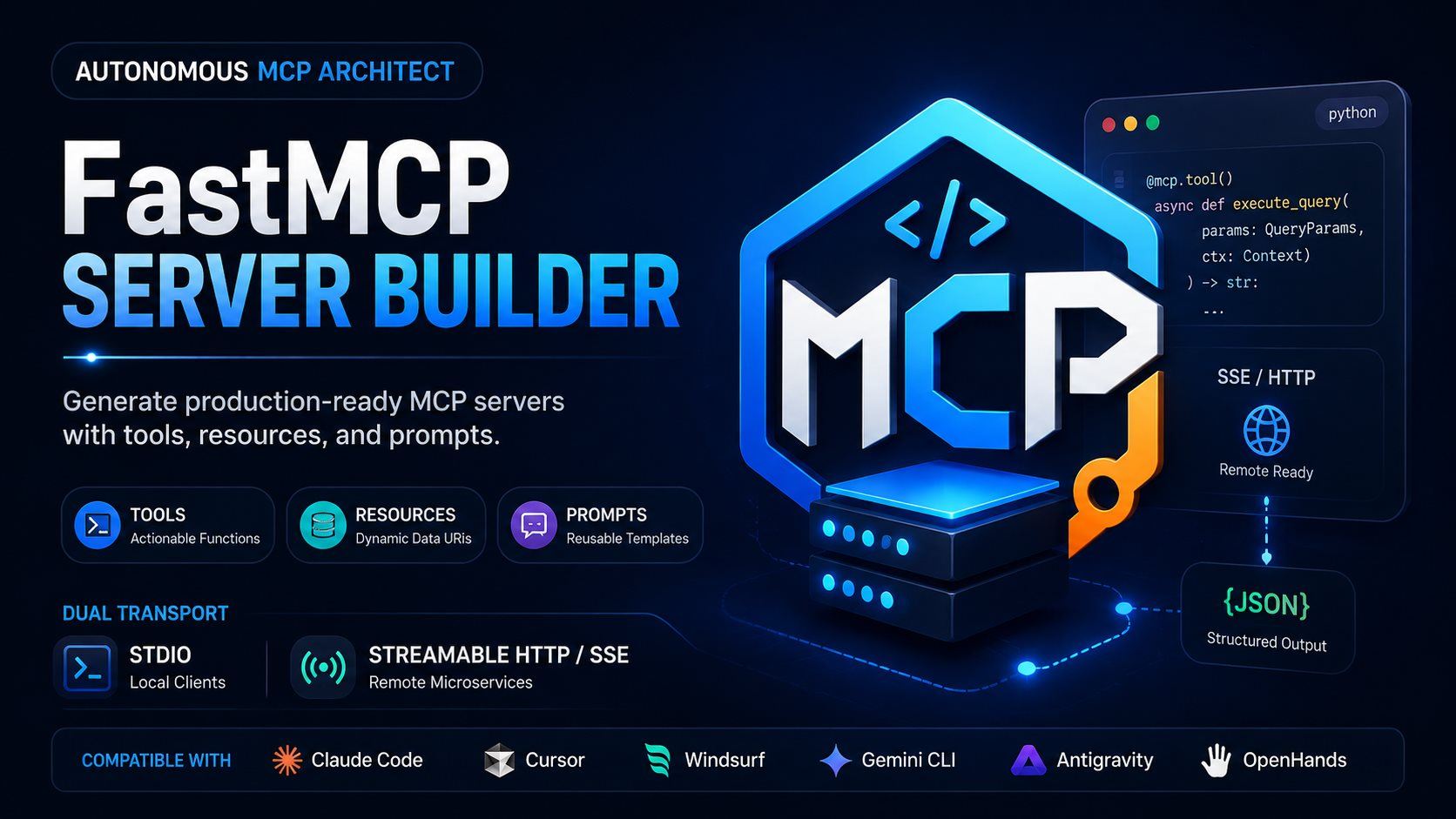
The fix isn't complicated, but it's easy to skip under deadline pressure: build the transport switch in from the start. The FastMCP Server Builder skill treats this as a hard rule, not a nice-to-have, Phase 2 and Phase 3 of its workflow both generate an entrypoint that reads MCP_TRANSPORT from the environment and branches between stdio and sse/streamable-http. Miss that branch and you've built a demo, not a server.
The Three MCP Primitives, and When to Use Each
Before writing a line of server code, the skill's Phase 1 partitions whatever you're exposing, a database, a CLI tool, a REST API, into exactly three primitive types. Getting this split right up front saves a rewrite later, because tools, resources, and prompts aren't interchangeable.
| Primitive | Decorator | What it does | Example from the skill |
|---|---|---|---|
| Tool | @mcp.tool() |
Executes an action, returns text/image/JSON | execute_query() runs a parameterized SELECT against a Postgres replica |
| Resource | @mcp.resource() |
Exposes read-only state at a URI, no side effects | schema://main returns the live database DDL |
| Prompt | @mcp.prompt() |
Reusable slash-command template with injected context | query_assistance_prompt(table_name) builds a safe-SQL prompt scoped to one table |
The distinction that trips people up is Tools versus Resources. If the client is asking "give me this data" with no side effects, that's a resource, cacheable, safe to poll. If the client is asking the server to do something (run a query, hit an API, write a file), that's a tool, and it needs the validation and error-guardrail treatment described below.
Step by Step: How to Build a Custom MCP Server with Python
Here's a trimmed version of the pattern the skill generates for Phase 2, a FastMCP server with one tool, one resource, and one prompt, wired for both local and remote use:
import os
from mcp.server.fastmcp import FastMCP, Context
from pydantic import BaseModel, Field

mcp = FastMCP("DatabaseOps", dependencies=["psycopg2-binary"])

class QueryParams(BaseModel):
    query: str = Field(description="Safe parameterized SELECT query")
    limit: int = Field(default=50, ge=1, le=500, description="Max rows to return")

@mcp.tool()
async def execute_query(params: QueryParams, ctx: Context) -> str:
    """Execute a read-only SQL query against the analytics replica.

    Real safety requirements, not just the docstring's claim: the DB
    connection uses a SELECT-only role enforced at the database level,
    `params.query` is checked against an allowlist/parsed-SQL policy (no
    DDL/DML, no stacked statements), a query timeout and the `limit` cap
    are enforced server-side, and every query is logged for audit purposes.
    """
    ctx.info(f"Executing query: {params.query[:50]}...")
    return f"Executed: {params.query} (Limit: {params.limit})"

@mcp.resource("schema://main")
def get_database_schema() -> str:
    """Return the DDL schema for tables this server is authorized to expose, never the full database schema, and never other schemas, credentials, or connection strings."""
    return "CREATE TABLE users (id SERIAL PRIMARY KEY, email TEXT, created_at TIMESTAMPTZ);"

if __name__ == "__main__":
    transport = os.getenv("MCP_TRANSPORT", "stdio").lower()
    if transport in ("sse", "streamable-http"):
        port = int(os.getenv("PORT", 8000))
        mcp.run(transport="sse", port=port)
    else:
        mcp.run(transport="stdio")
Two details matter more than they look. First, QueryParams.limit caps out at le=500, an unbounded limit field is how a "read-only" tool ends up dumping an entire table into a chat context. Second, the transport check happens once, at process start, reading an environment variable rather than a hardcoded flag, that's what lets the identical script run inside Claude Desktop today and behind an SSE endpoint on a cloud box tomorrow, with no code change.
stdio vs. Streamable HTTP / SSE: Picking the Right Transport
| stdio | Streamable HTTP / SSE | |
|---|---|---|
| Where it runs | Local process, spawned by the client | Remote server, listens on a port |
| Typical client | Claude Desktop, Cursor, local Claude Code sessions | Cloud agent runtimes, multi-user microservices |
| Config surface | command + args in the client's MCP config |
url + auth headers |
| Failure mode if skipped | N/A, this is the default | Server can't be reached by anything outside the host machine |
| Skill's guarantee | Generated by Phase 2/3 as the else branch |
Generated by Phase 2/3 as the if transport in (...) branch |
Neither one is "better", they answer different questions. stdio answers "can a single local client talk to this process," and Streamable HTTP / SSE answers "can multiple remote clients share this service." The skill's Core Rule #3 (Dual-Transport Implementation) exists specifically so you don't find out the hard way, mid-deployment, that you only built half the answer.
Security Guardrails: What the Skill Refuses to Generate
Phase 4 of the workflow enforces three invariants on every server it produces, and they're worth internalizing even if you write the code by hand:
- Strict input validation. Every tool parameter carries an explicit Pydantic
Fieldor Zod schema with a description, not an untypeddictorany. - No hardcoded secrets. Credentials load from environment variables (
os.environ["API_KEY"]), never inline in the tool body. - Clean error propagation. Tools return an MCP error payload (
isError: true) instead of letting an unhandled exception crash thestdioprocess and take down the whole client session.
That third one is the one people skip. A single unguarded except block missing from a tool means one malformed request from an LLM, which happens more often than you'd like, kills the entire server process, not just that one call.
TypeScript, for the Node-First Teams
The same three-phase logic applies on the TypeScript side using @modelcontextprotocol/sdk and zod instead of mcp.server.fastmcp and Pydantic. A GitHub issue tool, for instance, declares its shape with z.string() and z.number().min(1).max(7) the same way the Python version uses Field(ge=1, le=500), the validation philosophy doesn't change, only the syntax. The skill's Phase 3 output wires an Express app behind /sse and /messages routes for the remote case, and falls back to StdioServerTransport otherwise, mirroring the Python if/else branch, though a production SSE deployment can't stop there: it needs per-client session isolation (no single shared/global transport variable, which is how one client ends up able to hijack another's session) and a requireAuth check in front of both routes.
From Generated Code to a Working Client Config
A server nobody can point a client at isn't shipped yet. Phase 5 closes that gap by generating the JSON block a developer pastes straight into their client:
{
  "mcpServers": {
    "database-ops": {
      "command": "python",
      "args": ["-m", "servers.database_ops"],
      "env": { "DATABASE_URL": "${DATABASE_URL}" }
    }
  }
}
Note what's absent: no hardcoded connection string. ${DATABASE_URL} gets resolved from the environment the client is launched in, which keeps the guardrail from Phase 4 intact all the way through to the config file.
Frequently Asked Questions
What is FastMCP vs. the standard MCP SDK?
FastMCP is a decorator-based framework — @mcp.tool(), @mcp.resource(), @mcp.prompt() — that wraps the lower-level MCP SDK and adds automatic Pydantic (Python) or Zod (TypeScript) validation, cutting out most of the boilerplate you'd otherwise write by hand.
Do I need to choose between stdio and SSE, or can a server support both?
A single server can support both — the skill generates one entrypoint that reads an MCP_TRANSPORT environment variable and branches accordingly, so the same codebase runs locally via stdio and remotely via Streamable HTTP / SSE without a rewrite.
Which AI coding assistants can run this skill?
The skill is verified for Claude Code, Cursor, Windsurf, Gemini CLI, Google Antigravity, and OpenHands — copy SKILL.md into whichever tool's agent-skills directory and invoke it with a natural-language prompt describing the server you want.



Comments
Comments are reviewed before appearing publicly.
No comments yet — be the first.