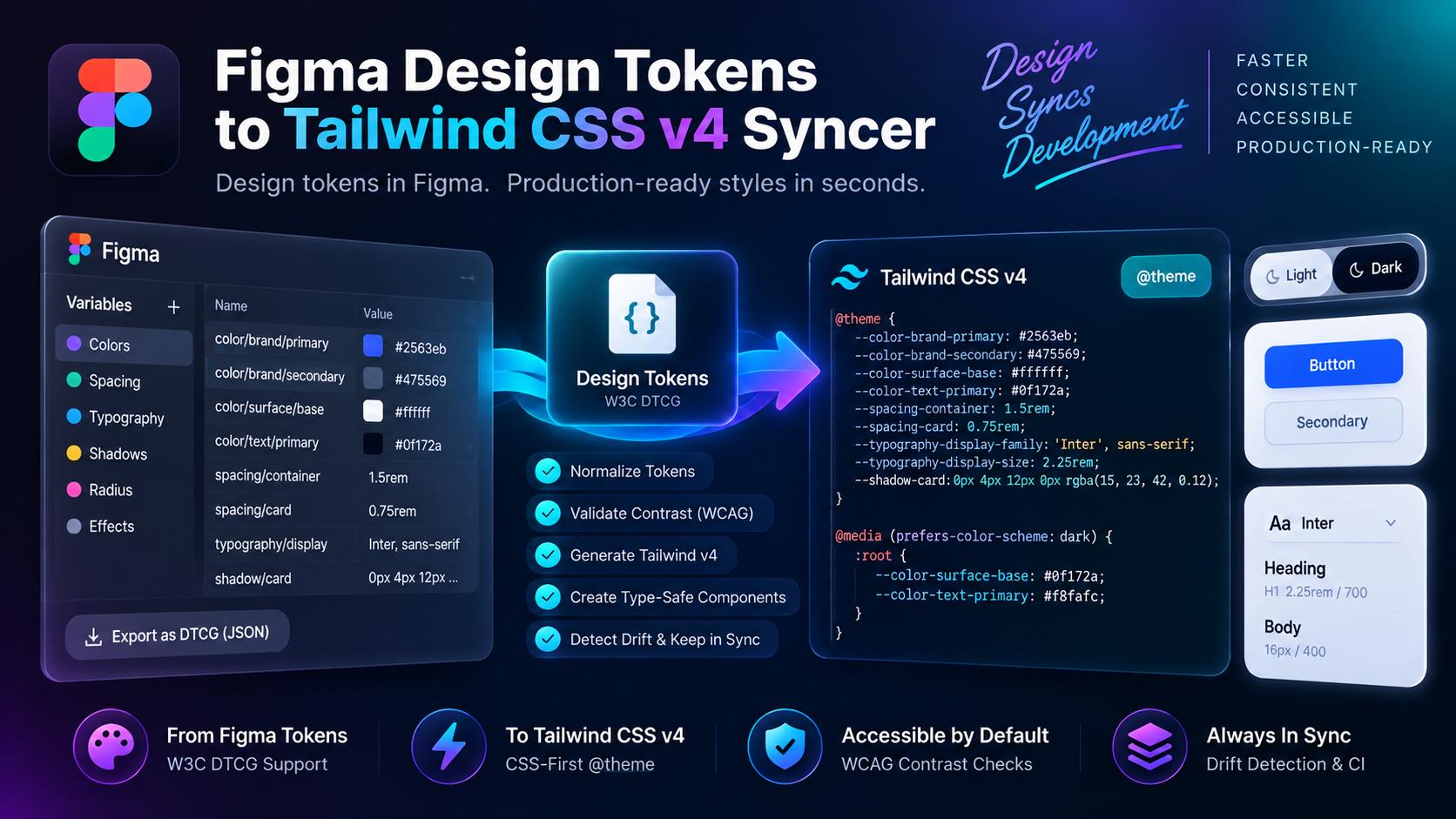
The handoff between design and engineering is notorious for silent drift.
A designer updates brand primary colors, typography scales, and border radiuses in Figma. A week later, frontend engineers are still writing hardcoded hex values in component files because copying tokens into configuration files by hand is slow and error-prone.
Tailwind CSS v4 changes frontend styling by introducing CSS-first configuration using @theme blocks. Instead of maintaining cumbersome JavaScript configuration files, design variables map directly to native CSS custom properties.
Here is an engineering guide to building an automated synchronization pipeline that parses W3C Design Tokens Community Group (DTCG) JSON exports from Figma, validates WCAG AA and AAA accessibility contrast ratios, and generates type-safe Tailwind CSS v4 theme files alongside React component interfaces.
The Handoff Architecture: From Figma DTCG to CSS Variables
Modern design systems export variables adhering to the W3C Design Tokens Community Group (DTCG) specification:
[Figma Variables / Tokens Studio]
               │
               ▼ (DTCG JSON Export)
    [Sync Token Compiler]
               │
      ┌────────┴────────┐
      ▼                 ▼
[WCAG Contrast]   [Token Transformer]
  4.5:1 AA Check        │
  7.0:1 AAA Check       ├──> src/styles/theme.css (@theme blocks)
                        └──> src/types/tokens.d.ts (TypeScript unions)
By placing an automated parser between the Figma export and the source repository, design updates become one-line automated commits rather than multi-day refactoring sprints.
Ingesting W3C DTCG Format and Validating WCAG Contrast
Consider a standard design token JSON file exported from Tokens Studio:
{
  "color": {
    "brand": {
      "primary": {
        "$value": "#2563eb",
        "$type": "color",
        "$description": "Core interactive brand color"
      },
      "surface": {
        "$value": "#ffffff",
        "$type": "color"
      }
    }
  }
}
During compilation, compute the relative luminance between foreground and background tokens according to the WCAG 2.1 formula:
// WCAG Contrast Validation Function
function getLuminance(hex: string): number {
  const rgb = hex.replace('#', '').match(/.{2}/g)!.map(x => parseInt(x, 16) / 255);
  const a = rgb.map(v => v <= 0.03928 ? v / 12.92 : Math.pow((v + 0.055) / 1.055, 2.4));
  return 0.2126 * a[0] + 0.7152 * a[1] + 0.0722 * a[2];
}

export function checkContrast(foreground: string, background: string): { ratio: number; passAA: boolean } {
  const l1 = getLuminance(foreground);
  const l2 = getLuminance(background);
  const lighter = Math.max(l1, l2);
  const darker = Math.min(l1, l2);
  const ratio = (lighter + 0.05) / (darker + 0.05);

  return {
    ratio: parseFloat(ratio.toFixed(2)),
    passAA: ratio >= 4.5
  };
}
If a color combination fails WCAG AA (ratio below 4.5:1), the compiler issues a blocking error, preventing inaccessible palettes from entering production stylesheets.
Generating Tailwind CSS v4 @theme Directives
Tailwind CSS v4 configures themes directly inside your global CSS file. The compiler transforms normalized tokens into native CSS variables:
/* src/styles/theme.css - Auto-generated from Figma DTCG tokens */
@import "tailwindcss";

@theme {
  --color-brand-primary: #2563eb;
  --color-brand-surface: #ffffff;

  --spacing-container-sm: 640px;
  --spacing-container-md: 768px;
  --spacing-container-lg: 1024px;

  --font-sans: 'Inter', system-ui, sans-serif;
  --radius-button: 8px;
}

@layer base {
  :root {
    --bg-primary: var(--color-brand-surface);
    --text-primary: #0f172a;
  }

  [data-theme="dark"] {
    --bg-primary: #0f172a;
    --text-primary: #f8fafc;
    --color-brand-primary: #3b82f6;
  }
}
In your frontend markup, classes like bg-brand-primary and rounded-button resolve directly without manual utility registrations.
Emitting Strict TypeScript Types for Component Props
To ensure developer IDEs autocomplete valid token values, compile a types file:
// src/types/tokens.d.ts - Auto-generated
export type BrandColor = 'brand-primary' | 'brand-surface';
export type ContainerSpacing = 'container-sm' | 'container-md' | 'container-lg';

export interface ButtonProps {
  colorVariant?: BrandColor;
  size?: 'sm' | 'md' | 'lg';
  children: React.ReactNode;
}
When an engineer passes colorVariant="red-500" to a strict design system component, TypeScript flags the invalid prop during static analysis.
Frequently Asked Questions
Does Tailwind CSS v4 still use tailwind.config.js?
Tailwind v4 is CSS-first. While legacy configuration files can still be referenced using the <code>@config</code> directive, modern setups declare theme variables directly in CSS using <code>@theme</code>.
How does this handle dark mode token overrides?
The compiler maps semantic tokens to CSS custom properties that change their values under <code>[data-theme="dark"]</code> or <code>@media (prefers-color-scheme: dark)</code> selectors.
Can this sync directly with Figma APIs?
Yes. The compiler accepts raw JSON exports from the Tokens Studio plugin or fetches variable collections directly via the Figma REST API using personal access tokens.





Comments
Comments are reviewed before appearing publicly.
No comments yet — be the first.