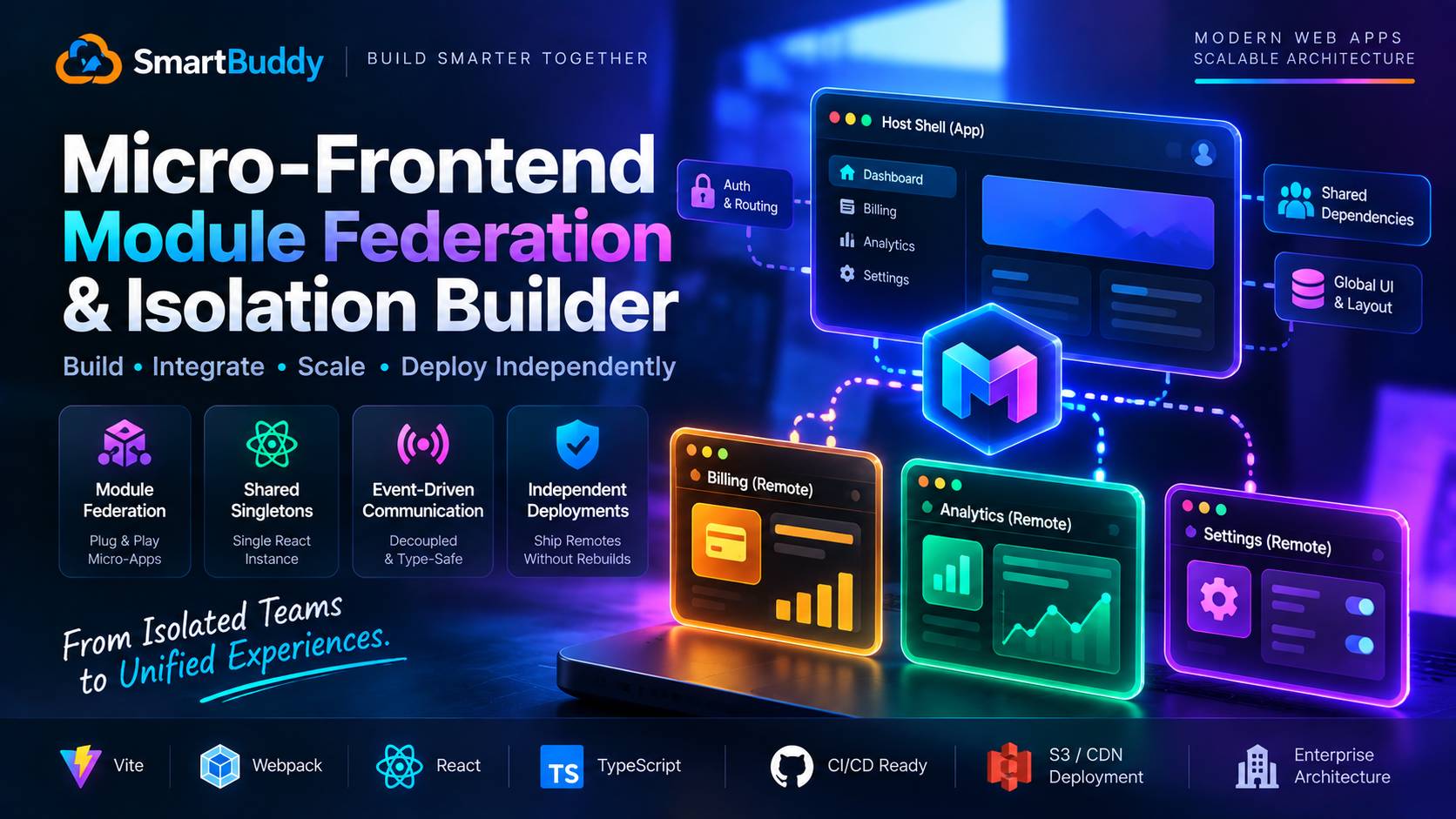
Micro-frontends get a lot of criticism in frontend communities, and honestly, much of it is justified. When teams divide a simple web app into ten micro-apps for the sake of following a trend, they end up with complex build pipelines, duplicated vendor bundles, and difficult cross-app debugging.
However, in large organizations with separate engineering teams deploying features on different release cycles, a shared monolith creates its own bottlenecks. One team's deployment can block another team's release for days.
A few months ago, Amir and I helped a client decompose their SaaS platform into a container shell with independent remote micro-frontends using Vite and @originjs/vite-plugin-federation.
Moving away from heavy Webpack configurations to Vite gave us fast local build times. But Vite Module Federation has its own nuances: deduplicating shared React runtimes, handling remote downtime gracefully, and setting up type-safe event communication between isolated applications.
Here is the exact production architecture we deployed to keep our host shell and remotes running reliably.
The Biggest Failure Modes in Module Federation
Before configuring plugins, here are the three issues that cause runtime crashes:
- Duplicate React instances: If the host shell and a remote app bundle their own copies of React, hooks break immediately with the dreaded "Invalid hook call" error.
- Brittle remote dependencies: If an independent remote fails to load or experiences a network timeout, the entire host page goes blank unless shielded by an Error Boundary.
- Tightly coupled state: Passing global Redux or Zustand stores across federated boundaries introduces hidden coupling. Communication should remain decoupled via an event bus.
Configuring Vite Module Federation with Shared Singletons
In our setup, the Host container lives on port 3000, while independent feature remotes (like Billing on port 3001) are built and deployed on their own cadence.
Here is the remote configuration for our Billing micro-frontend:
// remotes/billing/vite.config.ts
import { defineConfig } from 'vite';
import react from '@vitejs/plugin-react';
import federation from '@originjs/vite-plugin-federation';

export default defineConfig({
  plugins: [
    react(),
    federation({
      name: 'billing_remote',
      filename: 'remoteEntry.js',
      exposes: {
        './BillingModule': './src/BillingModule.tsx',
      },
      shared: {
        react: {
          requiredVersion: '^18.3.1',
          singleton: true,
        },
        'react-dom': {
          requiredVersion: '^18.3.1',
          singleton: true,
        },
      },
    }),
  ],
  build: {
    target: 'esnext',
    minify: false,
    cssCodeSplit: false,
  },
});
And here is the Host container configuration that imports the remote:
// host/vite.config.ts
import { defineConfig } from 'vite';
import react from '@vitejs/plugin-react';
import federation from '@originjs/vite-plugin-federation';

export default defineConfig({
  plugins: [
    react(),
    federation({
      name: 'host_app',
      remotes: {
        billing_remote: 'http://localhost:3001/assets/remoteEntry.js',
      },
      shared: ['react', 'react-dom'],
    }),
  ],
  build: {
    target: 'esnext',
  },
});
By marking react and react-dom as shared singletons with explicit version constraints, the browser loads the React runtime once, preventing duplicate hook registrations.
Resilient Remote Loading with Fallback Boundaries
Never import a federated remote directly without an Error Boundary and Suspense boundary. If the remote service is temporarily down, the rest of your application should still function smoothly.
Here is how we wrap remote components:
// host/src/components/FederatedRemoteWrapper.tsx
import React, { Suspense } from 'react';
import { ErrorBoundary } from './ErrorBoundary';

interface RemoteWrapperProps {
  children: React.ReactNode;
  fallbackTitle: string;
}

export function FederatedRemoteWrapper({ children, fallbackTitle }: RemoteWrapperProps) {
  return (
    <ErrorBoundary
      fallback={
        <div className="p-6 border border-amber-200 bg-amber-50 rounded-xl">
          <h3 className="text-base font-semibold text-amber-800">
            {fallbackTitle} Temporarily Unavailable
          </h3>
          <p className="text-sm text-amber-700 mt-1">
            Our billing service is undergoing routine maintenance. The rest of your workspace is working normally.
          </p>
        </div>
      }
    >
      <Suspense fallback={<div className="animate-pulse p-6 bg-slate-50 rounded-xl">Loading module...</div>}>
        {children}
      </Suspense>
    </ErrorBoundary>
  );
}
In your host router:
// host/src/pages/BillingPage.tsx
import React from 'react';
import { FederatedRemoteWrapper } from '../components/FederatedRemoteWrapper';

const RemoteBillingModule = React.lazy(() => import('billing_remote/BillingModule'));

export default function BillingPage() {
  return (
    <main className="max-w-5xl mx-auto p-6">
      <h1 className="text-3xl font-bold mb-6">Subscription & Invoices</h1>
      <FederatedRemoteWrapper fallbackTitle="Billing Portal">
        <RemoteBillingModule />
      </FederatedRemoteWrapper>
    </main>
  );
}
Decoupled Communication via a Type-Safe Event Bus
Never pass functions or global store references between micro-frontends. Instead, use an isolated event bus built on native CustomEvent interfaces:
// packages/event-bus/src/index.ts
export interface MicroAppEvents {
  'auth:token_refreshed': { token: string };
  'billing:plan_upgraded': { planId: string; tier: string };
}

export const eventBus = {
  emit<K extends keyof MicroAppEvents>(event: K, detail: MicroAppEvents[K]): void {
    window.dispatchEvent(new CustomEvent(event, { detail }));
  },

  on<K extends keyof MicroAppEvents>(
    event: K,
    callback: (detail: MicroAppEvents[K]) => void
  ): () => void {
    const handler = (e: Event) => {
      const customEvent = e as CustomEvent<MicroAppEvents[K]>;
      callback(customEvent.detail);
    };

    window.addEventListener(event, handler);
    return () => window.removeEventListener(event, handler);
  },
};
This guarantees that if the billing remote triggers an upgrade, the host shell can listen to billing:plan_upgraded and update its navigation badges without sharing memory or state objects.
Production Checklist for Micro-Frontends
- Pin exact peer versions: Verify both host and remotes share identical major React versions.
- Set up CORS headers on remote storage: If remotes are served from AWS S3 or Cloudflare R2, configure
Access-Control-Allow-Originso the host can fetchremoteEntry.js. - Automate contract testing: Use TypeScript type exports across packages to catch breaking prop changes in CI before production deployments.



Comments
Comments are reviewed before appearing publicly.
No comments yet — be the first.