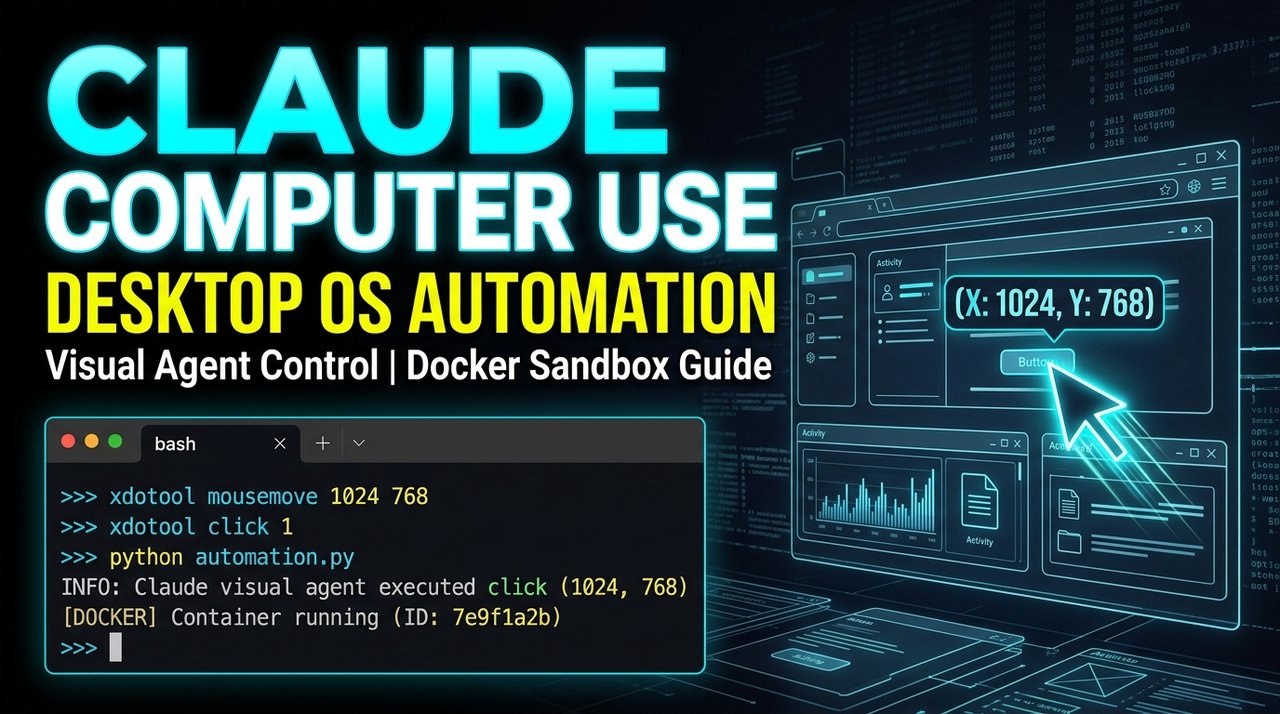
Last month Amir and I faced a tedious operational headache: we had to extract lead records from an ancient, legacy desktop Windows CRM that had no REST API, no webhook exports, and strictly blocked automated web scraping with aggressive Cloudflare CAPTCHAs.
A junior engineer suggested manually clicking through 400 records over three days. Instead, we decided to test Anthropic's Computer Use API. We spun up an isolated Docker container with an X11 virtual display, hooked Claude up to take screenshots and issue mouse/keyboard commands, and let the agent work through the interface.
It took Claude forty minutes to extract all 400 records without throwing a single schema error.
Anthropic's Computer Use is a shift in how we think about automation. When legacy software lacks an API, your AI can simply interact with the graphical interface like a human operator. Here is how to configure and run it safely in production.
How Computer Use Actually Works
Unlike traditional headless browser automation tools (like Puppeteer or Playwright) that parse the DOM tree, Claude Computer Use operates purely on visual screen pixels and OS coordinate space:
Claude Model
    ▲   │
    │   ▼ (Sends Action: mouse_move, left_click, type, key, screenshot)
Container OS / Virtual Display (X11 / Xvfb)
    │   ▲
    └───┴ (Takes 1024x768 PNG Screenshot & Returns Coordinates)
The loop runs in four continuous stages:
- Screenshot Capture: The system captures the current virtual desktop display frame as a base64 PNG.
- Visual Analysis: Claude inspects the screenshot, identifies UI elements (buttons, inputs, dropdowns), and calculates exact
(x, y)pixel coordinates. - Action Dispatch: Claude invokes the
computertool with an action (mouse_move,left_click,type,key). - Observation & Verification: The system executes the action via
xdotool, takes a new screenshot, and returns it to Claude to verify the outcome.
Docker Sandbox Configuration
Running an agent with mouse and keyboard access directly on your host machine is dangerous. If the model misinterprets a screen element, it could accidentally close your terminal or delete local files.
We always run Computer Use inside an isolated Docker sandbox with a virtual X11 display:
# Dockerfile
FROM ubuntu:22.04

ENV DEBIAN_FRONTEND=noninteractive
ENV DISPLAY=:1

# Install X11 virtual frame buffer, window manager, and automation tools
RUN apt-get update && apt-get install -y \
    xvfb \
    xdotool \
    scrot \
    fluxbox \
    python3 \
    python3-pip \
    chromium-browser \
    curl \
    && rm -rf /var/lib/apt/lists/*

WORKDIR /app
COPY requirements.txt .
RUN pip3 install --no-cache-dir -r requirements.txt

COPY . .

# Start Xvfb virtual screen at 1024x768 with 24-bit color
CMD ["bash", "-c", "Xvfb :1 -screen 0 1024x768x24 & fluxbox & python3 agent.py"]
Python Orchestrator Implementation
Here is our production agent loop using the Anthropic Python SDK:
# computer_agent.py
import os
import base64
import subprocess
import time
from anthropic import Anthropic

client = Anthropic(api_key=os.environ.get("ANTHROPIC_API_KEY"))

DISPLAY_WIDTH = 1024
DISPLAY_HEIGHT = 768

def take_screenshot() -> str:
    """Takes a screenshot using scrot and returns base64 string."""
    screenshot_path = "/tmp/screenshot.png"
    subprocess.run(["scrot", "-z", screenshot_path], check=True)
    with open(screenshot_path, "rb") as f:
        return base64.b64encode(f.read()).decode("utf-8")

def execute_computer_action(action: str, coordinate=None, text=None):
    """Translates Claude's tool action into OS commands using xdotool."""
    if action == "mouse_move" and coordinate:
        subprocess.run(["xdotool", "mousemove", str(coordinate[0]), str(coordinate[1])], check=True)
    elif action == "left_click":
        subprocess.run(["xdotool", "click", "1"], check=True)
    elif action == "type" and text:
        subprocess.run(["xdotool", "type", "--delay", "12", text], check=True)
    elif action == "key" and text:
        subprocess.run(["xdotool", "key", text], check=True)
    elif action == "screenshot":
        pass  # Just capture on next loop

    # Allow UI animation to settle
    time.sleep(0.5)

def run_agent_loop(instruction: str, max_steps: int = 25):
    messages = [
        {
            "role": "user",
            "content": [
                {"type": "text", "text": instruction},
                {
                    "type": "image",
                    "source": {
                        "type": "base64",
                        "media_type": "image/png",
                        "data": take_screenshot()
                    }
                }
            ]
        }
    ]

    tools = [
        {
            "type": "computer_20241022",
            "name": "computer",
            "display_width_px": DISPLAY_WIDTH,
            "display_height_px": DISPLAY_HEIGHT,
            "display_number": 1
        }
    ]

    for step in range(max_steps):
        response = client.beta.messages.create(
            model="claude-sonnet-5",
            max_tokens=4096,
            tools=tools,
            messages=messages,
            betas=["computer-use-2024-10-22"]
        )

        tool_calls = [c for c in response.content if c.type == "tool_use"]

        if not tool_calls:
            print("Task completed successfully!")
            break

        for tool_call in tool_calls:
            action = tool_call.input.get("action")
            coord = tool_call.input.get("coordinate")
            text = tool_call.input.get("text")

            execute_computer_action(action, coordinate=coord, text=text)

            # Append tool result with fresh screenshot
            messages.append({"role": "assistant", "content": response.content})
            messages.append({
                "role": "user",
                "content": [
                    {
                        "type": "tool_result",
                        "tool_use_id": tool_call.id,
                        "content": [
                            {
                                "type": "image",
                                "source": {
                                    "type": "base64",
                                    "media_type": "image/png",
                                    "data": take_screenshot()
                                }
                            }
                        ]
                    }
                ]
            })
Production Safeguards and Anti-Stuck Loops
When building desktop agents, visual ambiguity can trigger infinite click loops. We enforce four operational rules:
- Resolution Standardization: Always fix display resolution to standard aspect ratios (e.g. 1024x768 or 1280x800). If the model's coordinate expectations drift from the X11 resolution, clicks miss by dozens of pixels.
- Action Throttle: Never dispatch clicks with zero delay. Modern web applications require 200ms to 500ms for modal transitions, focus states, and CSS animations to finish.
- Step Budget Limit: Enforce a strict
max_stepsceiling (typically 25 to 50 steps). If the agent fails to reach the destination within 30 turns, kill the session and notify an operator. - Read-Only vs Action Sandboxing: Isolate network access at the Docker container level so the agent cannot inadvertently browse outside approved domains.
Benchmarking: Computer Use vs Playwright
| Operational Dimension | Claude Computer Use | Playwright / Headless Chrome |
|---|---|---|
| Setup Speed | Minutes (zero selectors needed) | Hours (inspecting DOM & shadow DOM) |
| Resilience to DOM Changes | High (visually locates buttons) | Low (breaks on class/ID refactors) |
| Native Desktop Apps | Supported (Windows, Mac, Linux GUI) | Impossible (Web browsers only) |
| Token Cost per Step | ~$0.03 - $0.05 per screenshot step | $0.00 (Local deterministic script) |
| Execution Latency | 2 - 4 seconds per click | 10 - 50 milliseconds per click |
When an official API or simple headless script exists, use it. But when you are stuck integrating with legacy software, internal ERPs, or GUI-only operating environments, Claude Computer Use bridges the gap cleanly.




Comments
Comments are reviewed before appearing publicly.
No comments yet — be the first.