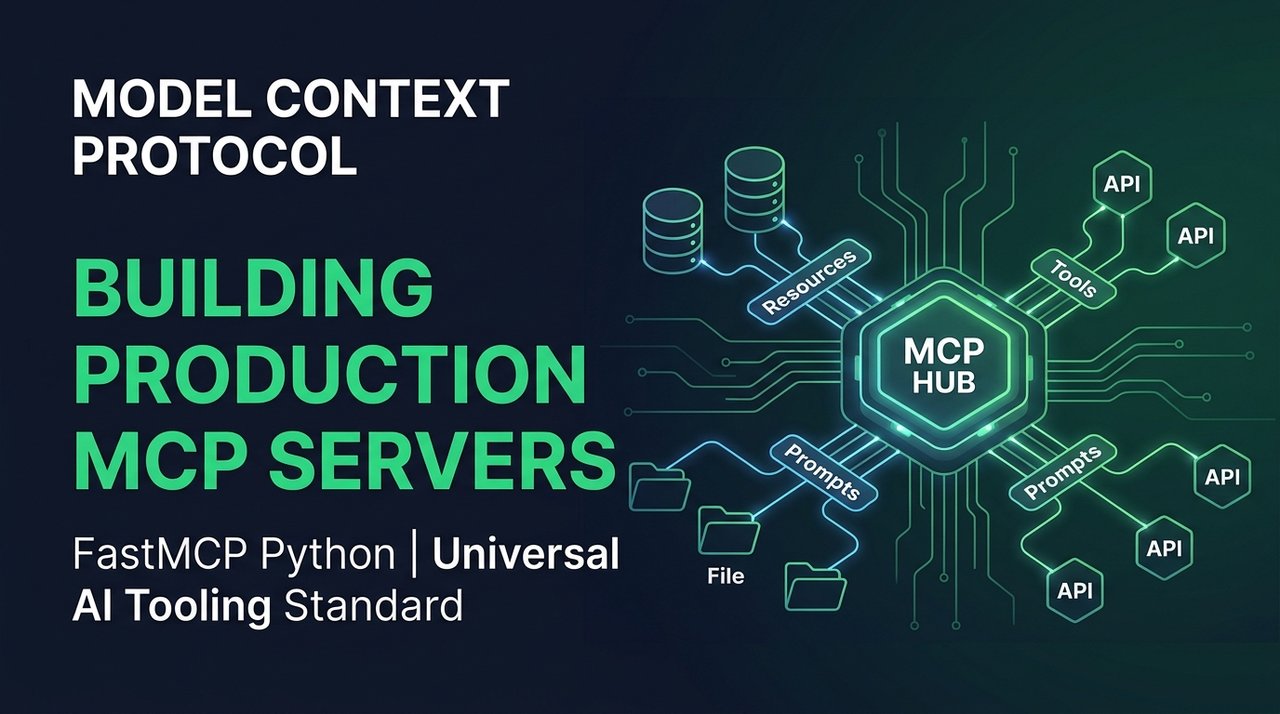
Before Anthropic announced the open-source Model Context Protocol (MCP), connecting an LLM to internal company tools was an engineering headache. Every team wrote custom glue code: bespoke OpenAPI schemas, custom function-calling wrappers, ad-hoc JSON parsers, and fragile webhook endpoints.
Every time we updated a database schema or added a GitHub query tool, Amir and I had to rewrite tool specifications across multiple agent frameworks.
MCP solves this fragmentation the same way the Language Server Protocol (LSP) solved code editors a decade ago. Instead of writing N-to-M connectors for every model and IDE, you write one standardized MCP server. Any MCP-compliant client (Claude Desktop, Antigravity, Cursor, Zed, or custom agents) can discover tools, read resources, and execute actions immediately.
Here is our step-by-step guide to building and deploying a production-ready MCP server using Python and FastMCP.
Core Architecture of MCP
The Model Context Protocol establishes a bidirectional JSON-RPC 2.0 communication channel between an MCP Client (an IDE, agent runner, or chat interface) and an MCP Server (which exposes data and tools):
┌──────────────────────────────────────────────┐
│                  MCP Client                  │
│       (Claude Desktop, Cursor, Custom)       │
└──────────────────────┬───────────────────────┘
                       │ JSON-RPC 2.0 (stdio / SSE)
                       ▼
┌──────────────────────────────────────────────┐
│                  MCP Server                  │
│  ├── Resources (Data/Files, URI templates)   │
│  ├── Prompts   (Pre-engineered templates)    │
│  └── Tools     (Executable functions)        │
└──────────────────────┬───────────────────────┘
                       │
                       ▼
┌──────────────────────────────────────────────┐
│      Underlying Infrastructure & APIs        │
│   (Postgres, Redis, GitHub API, File System) │
└──────────────────────────────────────────────┘
MCP exposes three fundamental primitives:
- Resources: Passive, read-only data that the client can load into context (e.g. log files, database schemas, internal wikis).
- Prompts: Parameterized reusable prompts stored on the server to standardize workflows.
- Tools: Executable functions with JSON schema parameter validation that the model can invoke to perform side effects.
Building a Production Server with FastMCP
We use the official mcp Python SDK with FastMCP, which uses type hints and docstrings to generate JSON schemas automatically:
# server.py
import sqlite3
from typing import List, Dict, Any
from mcp.server.fastmcp import FastMCP

# Initialize FastMCP Server
mcp = FastMCP("SmartBuddy-Internal-Ops")

DB_PATH = "/data/internal_ops.db"

def get_db():
    conn = sqlite3.connect(DB_PATH)
    conn.row_factory = sqlite3.Row
    return conn

@mcp.resource("schema://database")
def get_database_schema() -> str:
    """Returns the SQL schema of the internal production database."""
    with get_db() as conn:
        cursor = conn.cursor()
        cursor.execute("SELECT sql FROM sqlite_master WHERE type='table';")
        tables = [row["sql"] for row in cursor.fetchall() if row["sql"]]
        return "\n\n".join(tables)

@mcp.tool()
def query_customer_orders(customer_id: str, limit: int = 10) -> List[Dict[str, Any]]:
    """Fetches recent orders for a specific customer ID from the database.

    Args:
        customer_id: The unique customer identifier (e.g., 'cust_98234').
        limit: Maximum number of order records to return (default 10).
    """
    with get_db() as conn:
        cursor = conn.cursor()
        cursor.execute(
            "SELECT order_id, amount, status, created_at FROM orders WHERE customer_id = ? ORDER BY created_at DESC LIMIT ?",
            (customer_id, limit)
        )
        return [dict(row) for row in cursor.fetchall()]

@mcp.tool()
def issue_refund(order_id: str, reason: str, amount_cents: int) -> Dict[str, Any]:
    """Issues a financial refund for an eligible order.

    Args:
        order_id: The order to refund.
        reason: Explanation for the customer support audit log.
        amount_cents: Refund amount in USD cents.
    """
    # Defensive input validation
    if amount_cents <= 0:
        raise ValueError("Refund amount must be strictly greater than zero.")

    with get_db() as conn:
        cursor = conn.cursor()
        cursor.execute(
            "UPDATE orders SET status = 'refunded', refund_reason = ? WHERE order_id = ?",
            (reason, order_id)
        )
        conn.commit()

    return {
        "status": "success",
        "order_id": order_id,
        "amount_refunded_cents": amount_cents,
        "timestamp": "2026-09-26T14:30:00Z"
    }

if __name__ == "__main__":
    # Runs the server using stdio transport
    mcp.run(transport="stdio")
Configuring the MCP Client (Claude Desktop / Cursor)
To connect Claude Desktop to your newly created Python MCP server, add it to your configuration file:
- On macOS:
~/Library/Application Support/Claude/claude_desktop_config.json - On Windows:
%APPDATA%\Claude\claude_desktop_config.json
{
  "mcpServers": {
    "internal-ops": {
      "command": "python",
      "args": [
        "G:\\My Drive\\2026 Personal Job Finder Agent\\mcp_servers\\server.py"
      ],
      "env": {
        "PYTHONUNBUFFERED": "1"
      }
    }
  }
}
Restart Claude Desktop. You will immediately see a hammer icon representing the available tools (query_customer_orders, issue_refund) and a document icon for the schema://database resource.
Stdio vs SSE Transport Modes
MCP supports two primary transport mechanisms:
| Transport Type | Use Case | Implementation Details |
|---|---|---|
Standard Input/Output (stdio) | Local desktop clients (Claude Desktop, IDEs) | Communicates over process stdin/stdout. Lowest latency, zero network exposure. |
Server-Sent Events (SSE) | Remote cloud deployments, multi-tenant architectures | HTTP POST for client messages, streaming SSE endpoint for server responses. Requires TLS and authentication tokens. |
When deploying in production across a shared engineering team, use SSE transport behind an authenticating reverse proxy:
# Launching with SSE transport in FastAPI / Uvicorn
if __name__ == "__main__":
    mcp.run(transport="sse", host="0.0.0.0", port=8000)
Security & Production Checklist
Exposing database queries and action tools to an LLM introduces prompt injection and execution risks. Follow these safeguards:
- Principle of Least Privilege: Never expose raw SQL execution tools like
execute_arbitrary_sql(query: str). Provide tightly scoped, parameterized functions instead. - Defensive Parameter Boundaries: Set hard ceilings on limits, enforce integer bounds on financial numbers, and validate string lengths.
- Audit Logging: Every tool execution must log the caller ID, timestamp, tool name, and raw arguments to an append-only audit stream.
- Human Confirmation for High-Impact Actions: For destructive actions (e.g. deleting accounts or issuing refunds over $500), configure the MCP client to prompt the human operator for explicit confirmation before executing.
The Model Context Protocol standardizes AI tooling across the software industry. Write a reusable MCP server today, and it keeps working across every modern LLM client tomorrow, no per-client rewrites needed.




Comments
Comments are reviewed before appearing publicly.
No comments yet — be the first.