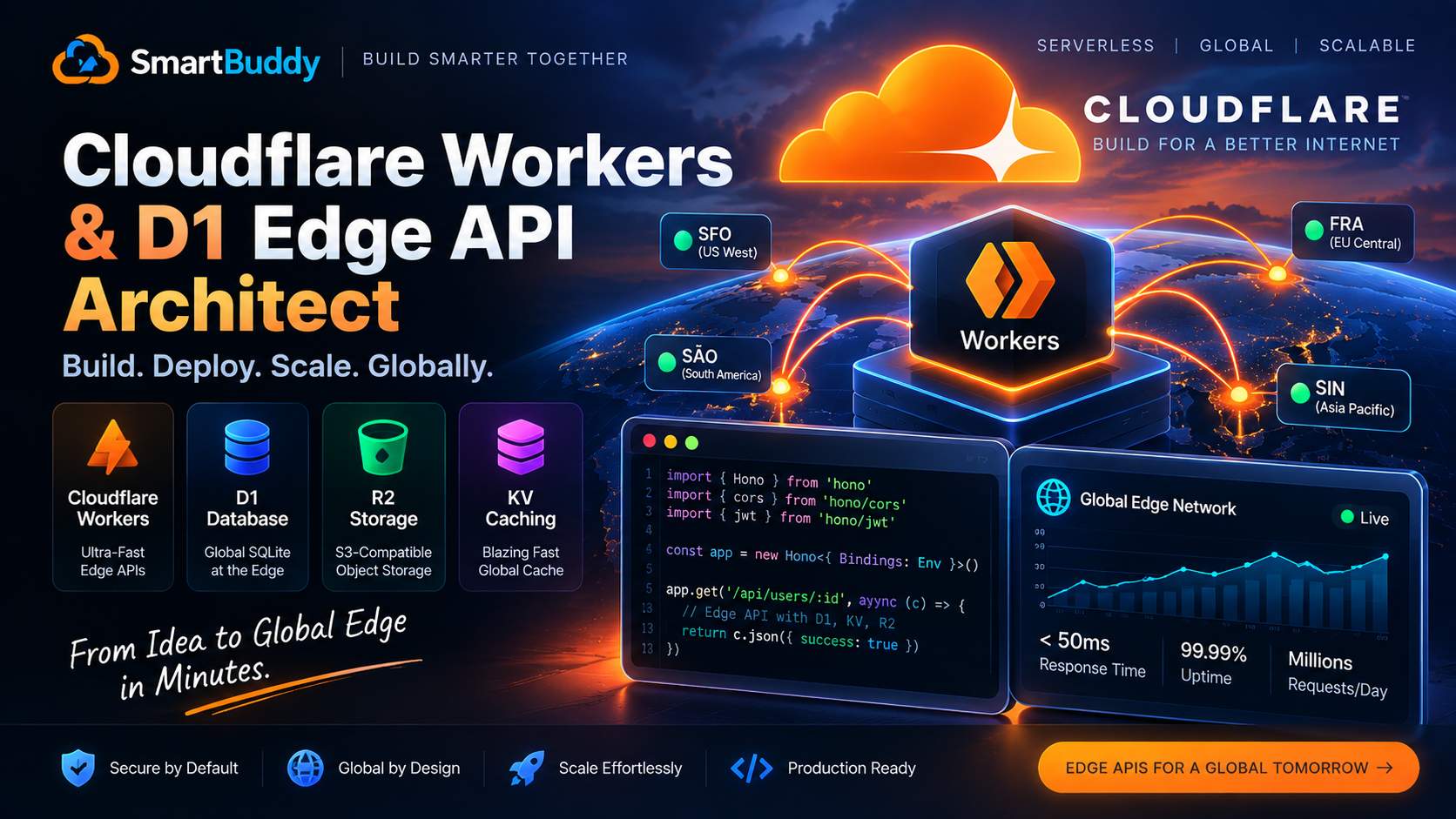
Traditional cloud backends often force you to deploy container clusters in a specific AWS or GCP region. If your server is in US-East and a customer visits your app from Tokyo or Manila, every API request suffers 200+ milliseconds of roundtrip latency just navigating the ocean cables.
Serverless edge computing changes this equation completely. With Cloudflare Workers, your code runs in data centers across 300+ cities globally, executing within single-digit milliseconds of your end users.
A few weeks ago, Amir and I architected a high-throughput webhook receiver and metadata API for a SaaS client. Instead of spinning up Node.js servers, we built the entire stack on Cloudflare Workers using the lightweight Hono framework, Cloudflare D1 (distributed SQLite), R2 object storage, and Workers KV.
Here is the exact blueprint we used to build a production edge API with migrations, authentication, and file uploads.
Why Hono on Cloudflare Workers?
While Cloudflare provides a native fetch handler interface, writing raw request routers becomes messy quickly once you need CORS, middleware, and request validation.
Hono is built from the ground up for edge runtimes like Cloudflare Workers. It weighs less than 14 kilobytes, has zero external dependencies, and provides complete TypeScript type inference for environment bindings.
Project Initialization and Wrangler Configuration
In Cloudflare Workers, resources like databases and storage buckets are attached via bindings defined in wrangler.toml:
name = "edge-api-service"
main = "src/index.ts"
compatibility_date = "2026-09-01"

# Cloudflare D1 Database Binding
[[d1_databases]]
binding = "DB"
database_name = "production-d1-db"
database_id = "xxxx-xxxx-xxxx-xxxx"

# Cloudflare R2 Object Storage Binding
[[r2_buckets]]
binding = "BUCKET"
bucket_name = "production-assets-bucket"

# Workers KV Cache Binding
[[kv_namespaces]]
binding = "CACHE_KV"
id = "yyyy-yyyy-yyyy-yyyy"
Setting Up Parameterized D1 Database Migrations
Cloudflare D1 is serverless SQLite replicated across Cloudflare's global edge network.
We maintain database schema changes using sequential SQL migration files inside migrations/:
-- migrations/0001_create_tenants_and_records.sql
CREATE TABLE IF NOT EXISTS api_keys (
  id TEXT PRIMARY KEY,
  client_name TEXT NOT NULL,
  secret_hash TEXT NOT NULL,
  created_at INTEGER NOT NULL
);

CREATE TABLE IF NOT EXISTS audit_logs (
  id TEXT PRIMARY KEY,
  action TEXT NOT NULL,
  actor_id TEXT NOT NULL,
  created_at INTEGER NOT NULL
);
You apply these migrations locally and remotely with Wrangler:
# Apply migrations to local SQLite emulator
npx wrangler d1 migrations apply DB --local

# Apply migrations to production edge database
npx wrangler d1 migrations apply DB --remote
Building Edge Routes with Hono
Here is our main application router. Notice how cleanly Hono provides type safety for our D1, R2, and KV bindings:
// src/index.ts
import { Hono } from 'hono';
import { cors } from 'hono/cors';

type Bindings = {
  DB: D1Database;
  BUCKET: R2Bucket;
  CACHE_KV: KVNamespace;
};

const app = new Hono<{ Bindings: Bindings }>();

// Global CORS middleware
app.use('/*', cors({ origin: '*' }));

// Health check endpoint with database probe
app.get('/health', async (c) => {
  const result = await c.env.DB.prepare('SELECT 1 as healthy;').first();
  return c.json({ status: 'ok', database: result?.healthy === 1 });
});

// High-speed cached endpoint using Workers KV
app.get('/api/config/:key', async (c) => {
  const key = c.req.param('key');

  // Check fast edge KV cache first
  const cached = await c.env.CACHE_KV.get(key);
  if (cached) {
    return c.json({ source: 'kv_cache', data: JSON.parse(cached) });
  }

  // Fallback to D1 database query
  const row = await c.env.DB.prepare(
    'SELECT * FROM api_keys WHERE client_name = ?;'
  ).bind(key).first();

  if (!row) {
    return c.json({ error: 'Config not found' }, 404);
  }

  // Write back to KV with a 60-second TTL
  await c.env.CACHE_KV.put(key, JSON.stringify(row), { expirationTtl: 60 });

  return c.json({ source: 'database', data: row });
});

// File upload directly to Cloudflare R2
app.put('/api/upload/:filename', async (c) => {
  const filename = c.req.param('filename');
  const body = await c.req.arrayBuffer();

  await c.env.BUCKET.put(filename, body, {
    httpMetadata: { contentType: c.req.header('content-type') || 'application/octet-stream' },
  });

  return c.json({ success: true, file: filename });
});

export default app;
Real-World Edge Lessons
- Beware cold CPU limits: Cloudflare Workers have a 50ms default CPU limit on standard plans (though wall-clock I/O waiting for D1 or R2 does not count toward this limit). Keep heavy hashing algorithms like bcrypt outside the Worker or use Web Crypto native primitives like PBKDF2/Argon2.
- Always parameterize D1 queries: Never concatenate raw SQL strings. Using
.prepare().bind(...)prevents SQL injection and allows the query planner to cache statement plans. - KV is eventually consistent: Workers KV is fast for reads, but writes can take up to 60 seconds to propagate globally. For transactional reads, always read directly from D1.



Comments
Comments are reviewed before appearing publicly.
No comments yet — be the first.